Dropbox SSO with Gluu Server#
Attention
The official support end-of-life (EOL) date for Gluu Server 2.4.4 is December 31, 2018. Starting January 1, 2019, no further security updates or bug-fixes will be provided for Gluu Server 2.X. We strongly recommend upgrading to the newest version.
This document is a step-by-step guide to setting up Dropbox SSO in Gluu Server.
This SSO requires setting a custom nameid called emailnid.
Custom NameID#
Please see this doc on how to create custom attributes.
The new attribute screen should look like the screenshot below
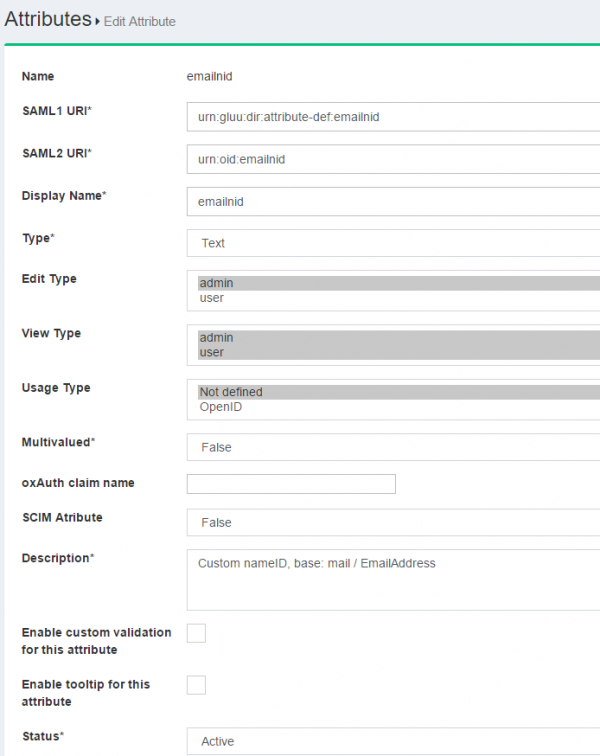
The custom nameid needs to be defined in the attribute-resolver template file.
-
Please edit the
attribute-resolver.xml.vmfile under the/opt/tomcat/conf/shibboleth2/idpfolder -
Add the
$attribute.name.equals('emailnid')with the existing #if( ! ($attribute.name.equals('transientId') to look like the snippet below
#if( ! ($attribute.name.equals('transientId') or $attribute.name.equals('emailnid') ) )
- Add
nameiddefinition
 <resolver:AttributeDefinition id="emailnid"
                                xsi:type="Simple"
                                xmlns="urn:mace:shibboleth:2.0:resolver:ad"
                                sourceAttributeID="mail">
                        <resolver:Dependency ref="siteLDAP" />
                        <resolver:AttributeEncoder xsi:type="SAML2StringNameID"
                                xmlns="urn:mace:shibboleth:2.0:attribute:encoder"
                                nameFormat="urn:oasis:names:tc:SAML:1.1:nameid-format:emailAddress" />
</resolver:AttributeDefinition>
emailAddress in Principal Connector
<resolver:PrincipalConnector xsi:type="pc:Transient" id="saml2Transient" nameIDFormat="urn:oasis:names:tc:SAML:1.1:nameid-format:emailAddress" />
- Restart Tomcat service
Trust Relationship#
Please see this doc to create trust relationship and fill up the form with the following info
The metadata for Dropbox is necessary to create trust relationship. Please use the following snippet so create the dropbox_metadata.xml.
 <EntityDescriptor entityID="Dropbox" xmlns="urn:oasis:names:tc:SAML:2.0:metadata">
    <SPSSODescriptor protocolSupportEnumeration="urn:oasis:names:tc:SAML:2.0:protocol">
        <NameIDFormat>urn:oasis:names:tc:SAML:1.1:nameid-format:emailAddress</NameIDFormat>
        <AssertionConsumerService index="1" Binding="urn:oasis:names:tc:SAML:2.0:bindings:HTTP-POST" Location="https://www.dropbox.com/saml_login" />
    </SPSSODescriptor>
</EntityDescriptor>
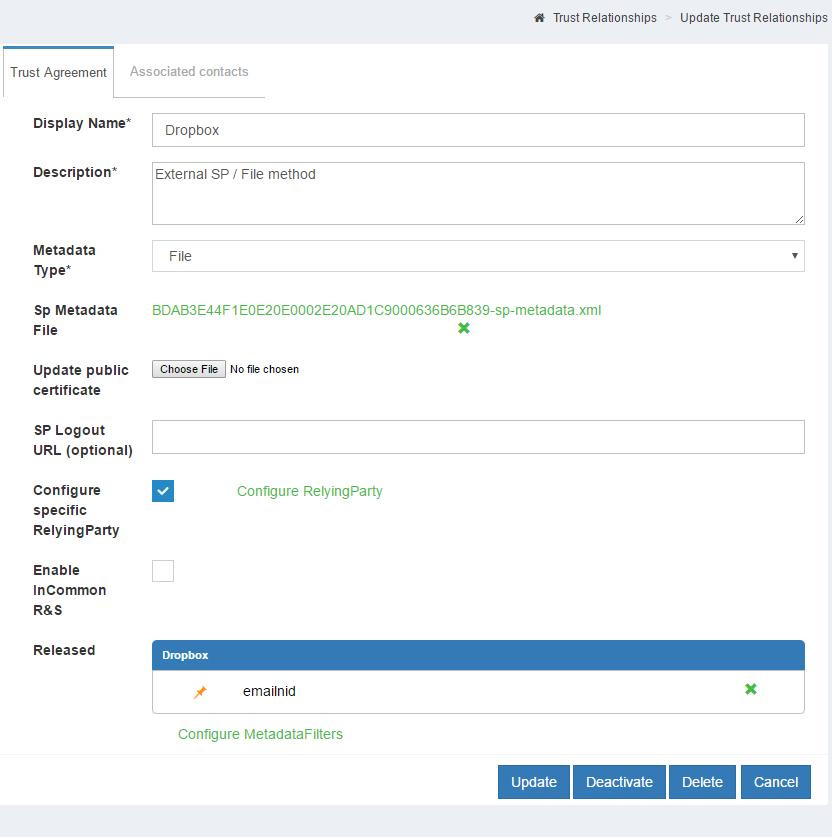
- Display Name: Dropbox
- Description: External SP / File method
- Metadata Type: File
- SP Metadata File: Upload the 'dropbox_metadata.xml' which you just created
-
Configure Specific RelyiningParty: Yes
signResponses: conditional
signAssertions: never
signRequests: conditional
encryptAssertions: never
encryptNameIds: never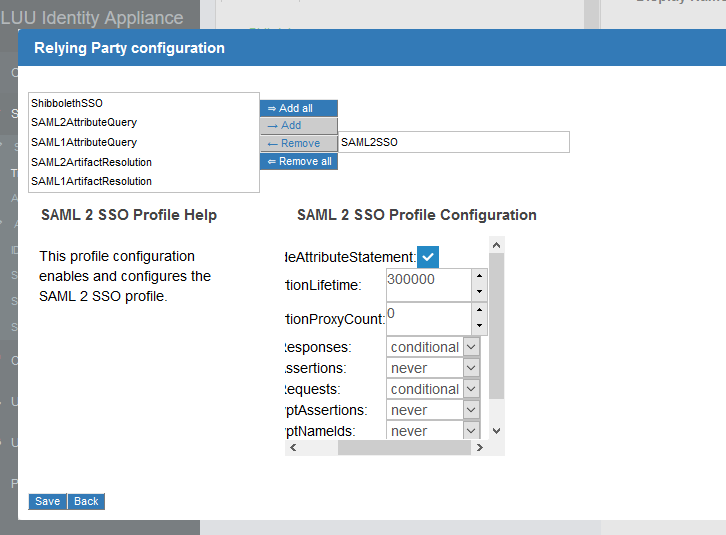
-
Released attribute: emailnid
Configure Gluu Server as IdP in Dropbox#
- Log into Dropbox
- Click on
Admin Console - Click
Authentication - Click on the checkbox labeled
Enable single-sign-on -
Optional/Required according to necessity
-
Sign in URL
https://<hostname_of_Gluu_server>/idp/profile/SAML2/Redirect/SSO -
X.509 certificate
Get `shibIDP.crt` from Gluu Server `chroot` environment under `/etc/certs/` folder and upload it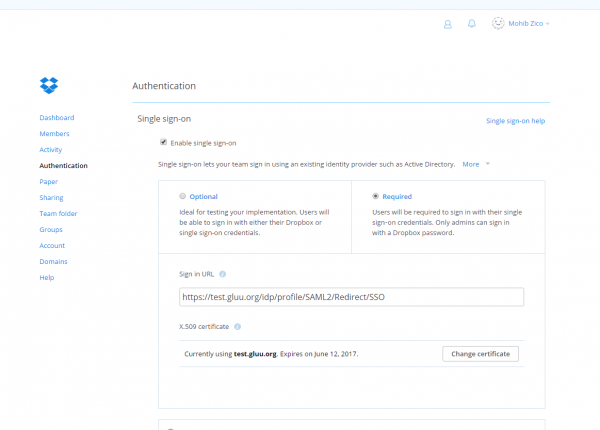
-
-
Save configuration
Test SSO#
-
Please go to https://www.dropbox.com and click on the
Sign Inbutton -
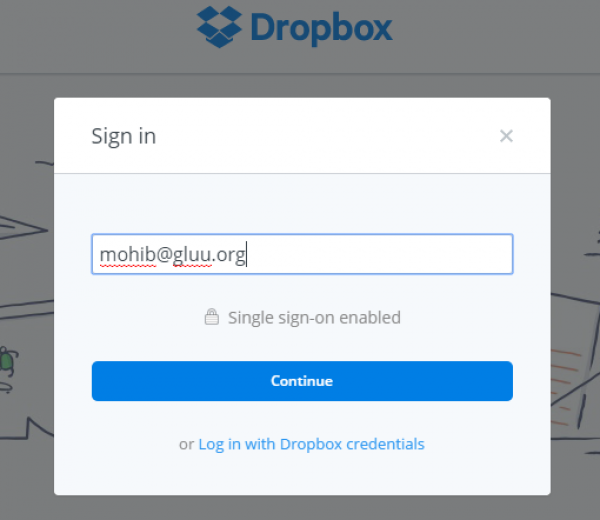
If the account is configured for SSO, then a screen similar to the screenshot below will appear after entering the email address.
-
Click
Continueand the website will redirect to Gluu Server for authentication.