Duo Security#
Attention
The official support end-of-life (EOL) date for Gluu Server 2.4.4 is December 31, 2018. Starting January 1, 2019, no further security updates or bug-fixes will be provided for Gluu Server 2.X. We strongly recommend upgrading to the newest version.
Overview#
There are a few properties in the Duo Security authentication script:
| Property | Status | Description | Example |
|---|---|---|---|
| duo_creds_file | Mandatory | Path to ikey, skey, akey | /etc/certs/duo_creds.json |
| duo_host | Mandatory | URL of the Duo API Server | api-random.duosecurity.com |
| audit_attribute | Optional | Attribute to determine user group | memberOf |
| duo_group | Optional | Attribute to enable Duo for specific user | memberOf |
| audit_group | Optional | Notify administrator via email upon user login | memberOf |
| audit_group_email | Optional | Administrator email | admin@organization.com |
Configure Duo Account#
-
Sign up for a Duo account.
-
Log in to the Duo Admin Panel and navigate to Applications.
-
Click Protect an Application and locate Web SDK in the applications list. Click Protect this Application to get your integration key, secret key, and API hostname.
-
Generate an
akeyvalue for your instance. Learn more.
For additional info on Duo's Web SDK, check this article.
Configure CE Chroot#
- Prepare the Duo credential file
/etc/certs/duo_creds.jsonwith ikey, akey & skey
Configure oxTrust
Follow the steps below to configure the Duo module in the oxTrust Admin GUI.
- Navigate to
Configuration>Manage Custom Scripts. - Click on the
Person Authenticationtab. -
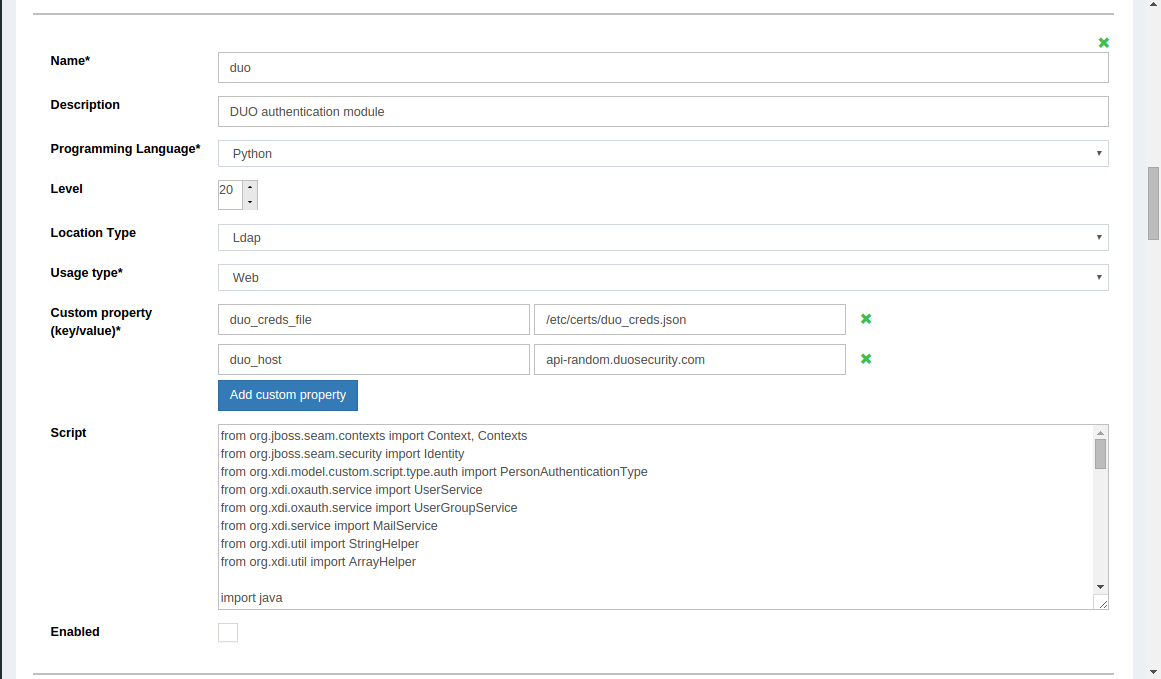
Scroll down to the Duo authentication script
-
Change the value of
duo_hostto your API -
Enable the script by ticking the check box

-
Change the
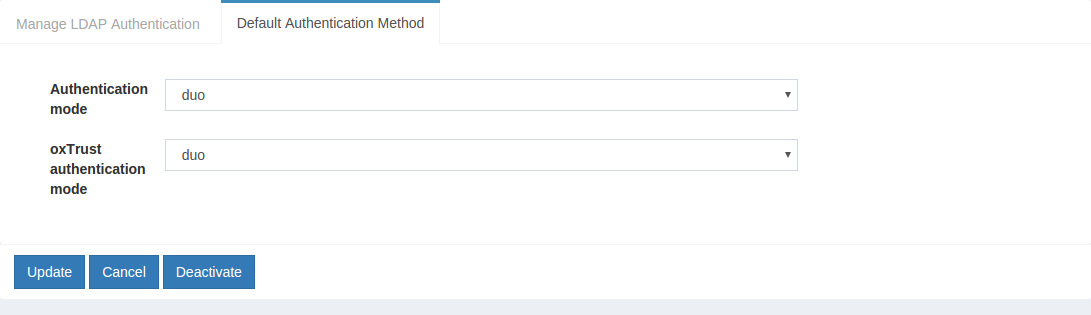
Default authentication methodto Duo