Certificate Authentication#
Attention
The official support end-of-life (EOL) date for Gluu Server 2.4.4 is December 31, 2018. Starting January 1, 2019, no further security updates or bug-fixes will be provided for Gluu Server 2.X. We strongly recommend upgrading to the newest version.
The image below contains the design diagram for this module.
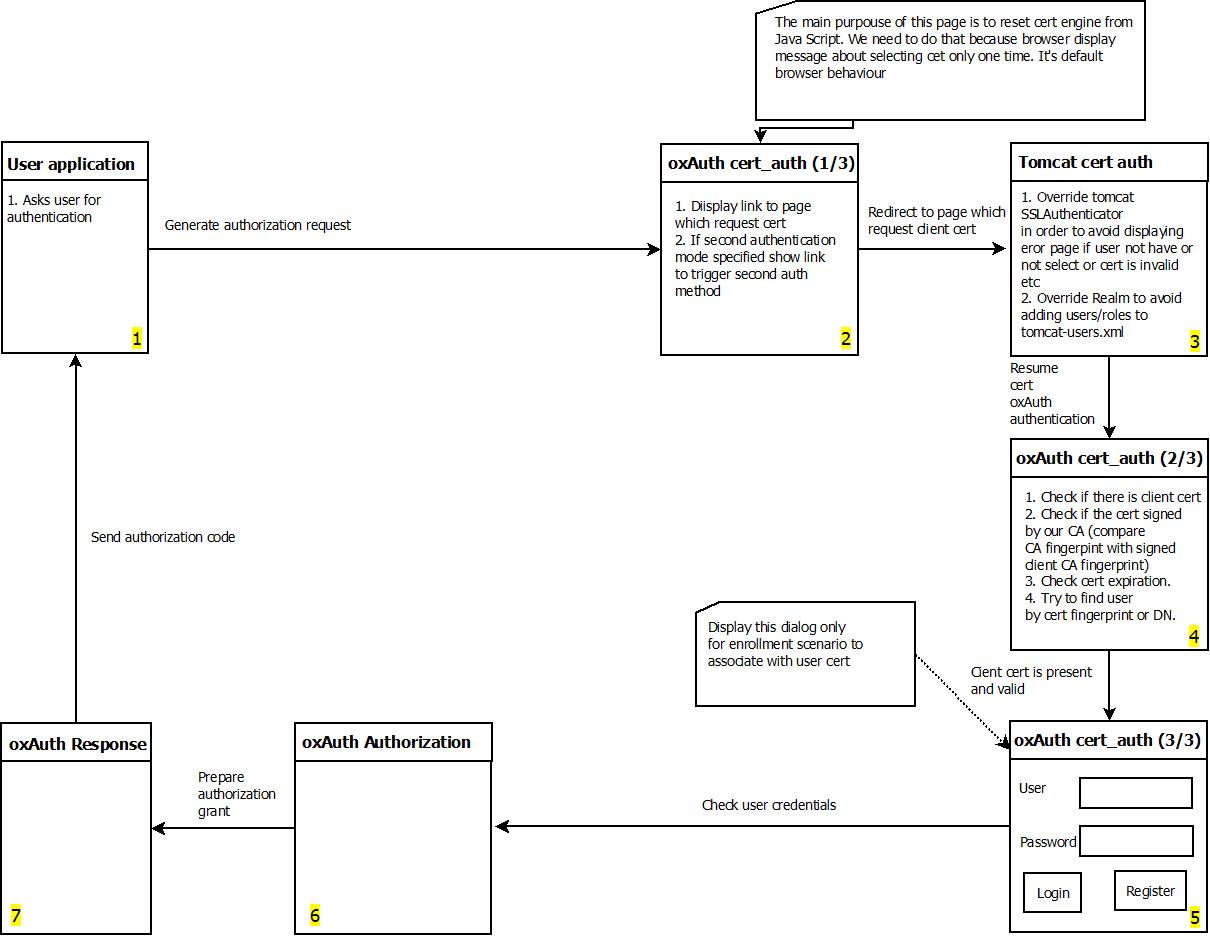
The script has a few properties:
| Property | Description | Allowed Values | example |
|---|---|---|---|
| chain_cert_file_path | mandatory property pointing to certificate chains in [pem][pem] format | file path | /etc/certs/chain_cert.pem |
| map_user_cert | specifies if the script should map new user to local account | true/false | true |
| use_generic_validator | enable/disable specific certificate validation | true/false | false |
| use_path_validator | enable/disable specific certificate validation | true/false | true |
| use_oscp_validator | enable/disable specific certificate validation | true/false | false |
| use_crl_validator | enable/disable specific certificate validation | true/false | false |
| crl_max_response_size | specifies the maximum allowed size of [CRL][crl] response | Integer > 0 | 2 |
Configure oxTrust Follow the steps below to configure the certificate authentication in the oxTrust Admin GUI.
- Navigate to
Configuration>Manage Custom Scripts. - Click on the
Person Authenticationtab. - Click on the
Add Custom Scritpbutton.
- Fill up the from and add the Certificate Authentication Script
- Enable the script by ticking the check box

- Change the
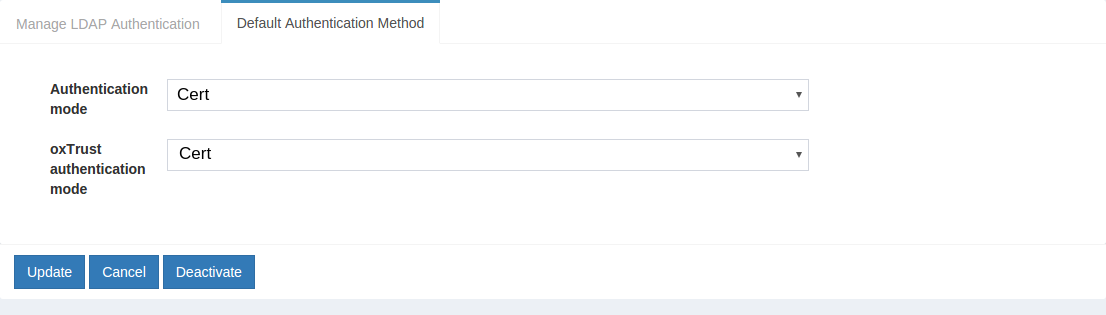
Default Authentication MethodtoCert